
Software project

Kairo
Automatic launcher artwork for Linux.
Linux already lets you change an application's icon by hand. Kairo's point is that you shouldn't
have to — it finds what's on your machine, finds artwork that matches, and applies it without you
ever opening a .desktop file. It started as a fix for Steam's launcher entries and
grew into a general tool for Steam games, installed applications, and emulator ROM libraries.
01 The problem
KDE, GNOME, and effectively every other Linux desktop follow the same freedesktop spec for how an
application appears in the launcher: a .desktop file with an Icon= key
that either points straight at a file or names an icon to resolve through the current theme.
That shared interface cuts both ways — a broken or generic icon looks exactly as broken on KDE as
it does on GNOME, because both read the same file the same way.
Fixing one by hand isn't hard. Fixing a launcher full of them is tedious in a specific way: find
the application, search for artwork, download an image, locate the right .desktop
entry, edit it without breaking it, and repeat. Steam generates entries you can't control the
icon of. Emulator ROMs have no launcher presence at all unless you write the entries yourself.
Flatpaks and AppImages land wherever their packaging puts them.
Kairo collapses that loop into scan, review, apply — and, just as importantly, into an undo.
02 Providers
Everything Kairo can see comes from a provider. A provider knows how to enumerate one kind of thing and hand back a uniform entry; nothing downstream cares where an entry came from. That's what stops "support one more source" from turning into a rewrite.
Three providers ship today. SteamProvider reads Steam's own library data — native and
Flatpak installs, plus extra library folders on other drives.
DesktopEntryProvider walks the standard application directories.
EmulatorProvider is instantiated once per configured emulator, so Dolphin and PCSX2
are separate entries in the sidebar rather than one lumped category.
A provider only has to declare which group it belongs to and yield entries; declaring
group = "Emulators" is enough to appear under that heading with no change to the
interface at all. Writing back is deliberately narrower than reading: there are exactly two
writers, because there are exactly two situations — Kairo created the launcher entry, or Kairo is
shadowing one that already existed. Those two cases have different rules for what
Reset and Remove mean, and collapsing them would lose that distinction.
03 Artwork
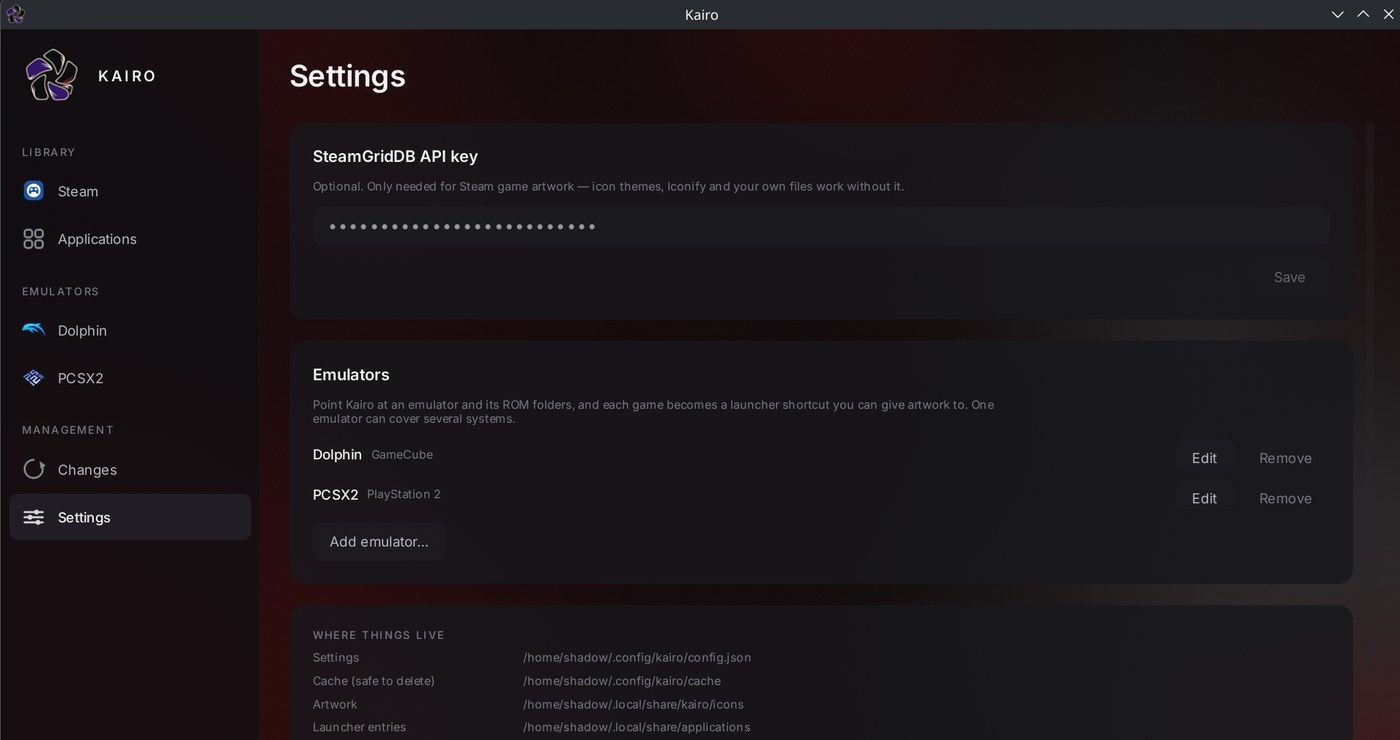
Artwork sources are modular in the same way. SteamGridDB supplies game art; installed icon themes and Iconify cover applications; and any local file works as a fallback. Only SteamGridDB needs an API key — the rest work without one.
Two decisions here were less obvious than they look. The first is that SteamGridDB is queried two different ways: Steam games resolve by appid, which is exact, while emulator ROMs resolve by title search, which is a guess. Those results are scored differently rather than being treated as equally trustworthy. The second is that desktop applications are deliberately excluded from it — searching a game-artwork database for a text editor returns results that are confident and wrong, which is worse than returning nothing.
One bug worth recording: icons looked soft in the browser for a long time. The cause was that
loading a multi-size .ico returns its first frame, which is conventionally
the smallest. Kairo now walks every frame in the container and keeps the largest, and applies its
minimum-size rule to the frame that actually decoded rather than to the dimensions the API
reported.
04 Emulators
Emulator ROMs are the case that benefits most, because they have no launcher presence at all by default. Kairo ships a catalogue of systems and their usual emulators, so adding one starts from a list rather than a blank form — file extensions and the expected executable are already known.
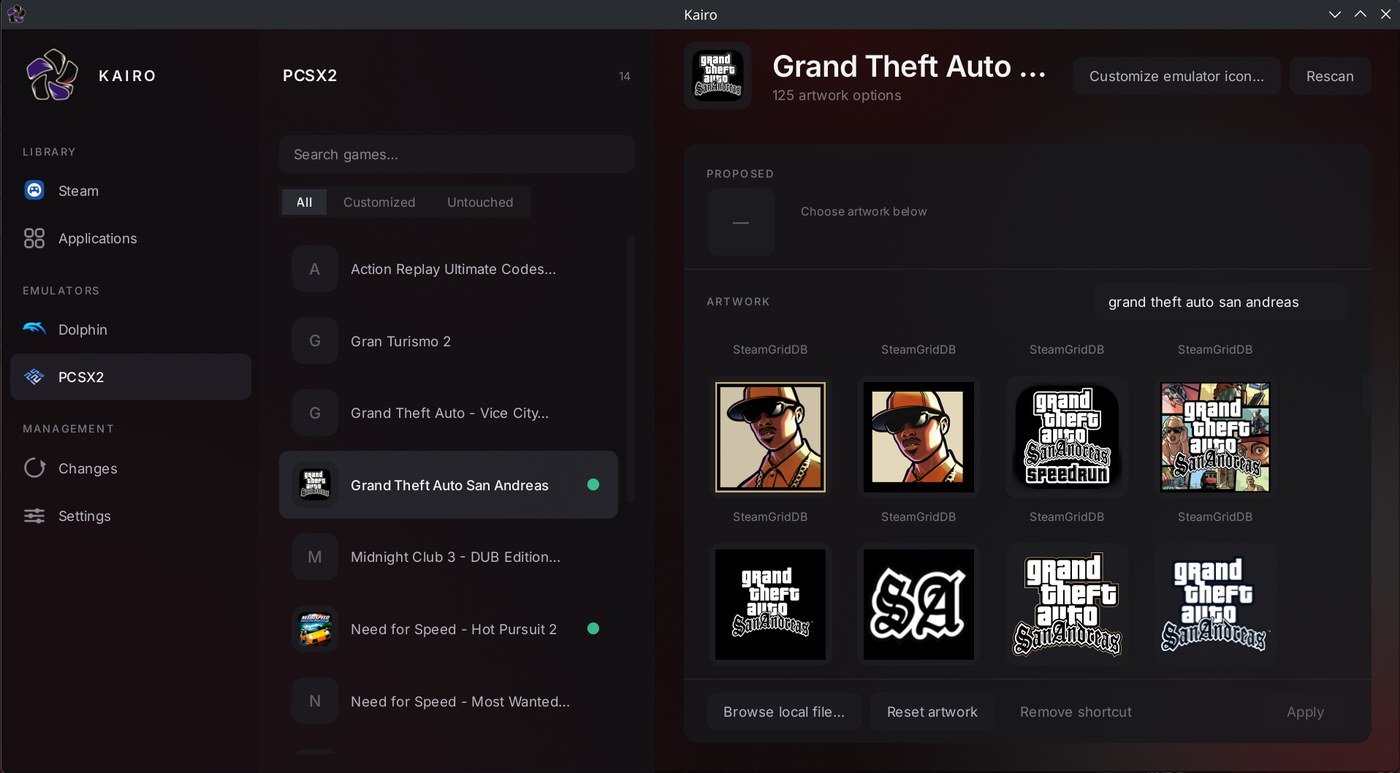
Finding the emulator itself is layered, because Linux users install software in genuinely
different ways. Kairo checks PATH first, then the installed .desktop
entry — which covers AUR, Flatpak, Snap and AppImage uniformly, since all of them leave one
behind — and finally Flatpak's export directories. ROM folders are read from the emulator's own
configuration where possible, falling back to conventional layouts like
~/Emulation/roms and ~/ROMs.
One emulator can span several systems: Dolphin contributes a GameCube folder and a Wii folder, each with its own extensions and label. And a ROM's internal id is derived from its path, not its title — so renaming a game in Kairo can't orphan the record of what was done to it.
05 Safe by design
Kairo modifies how your desktop presents itself, which means the interesting engineering isn't the artwork — it's making every change reversible and impossible to do damage with. Four rules hold the whole design together.
- Originals are never destroyed Kairo either creates a new launcher entry or shadows an existing one in your user directory. The packaged file the system installed is never modified.
-
Ownership is recorded in the file
A managed entry is marked with an
X-Kairo-Managedkey. Ownership is never inferred from a filename — if Kairo didn't write it, Kairo won't touch it, and it refuses rather than guessing. - Every change is logged and reversible Changes go through a ledger, and the Changes view restores from it. Restore is a first-class feature, not an afterthought.
- Root is never required Kairo writes only inside your own applications directory. Nothing it does needs elevated privileges, so nothing it does can break a system package.
Writes are atomic — written to a temporary file in the same directory and moved into place — so an interrupted write can't leave a half-written entry that the desktop then fails to parse. The interface never touches a launcher file directly either; every mutation goes through one module that owns the marker checks and the ledger, and a test fails the build if a back door appears.
06 Interface
The shell is Qt, in three columns: sources on the left, the library in the middle, and the
selected entry with its artwork options on the right. The aim is that someone who has never
heard of a .desktop file can still use it — the vocabulary is games and
applications, not freedesktop specs.
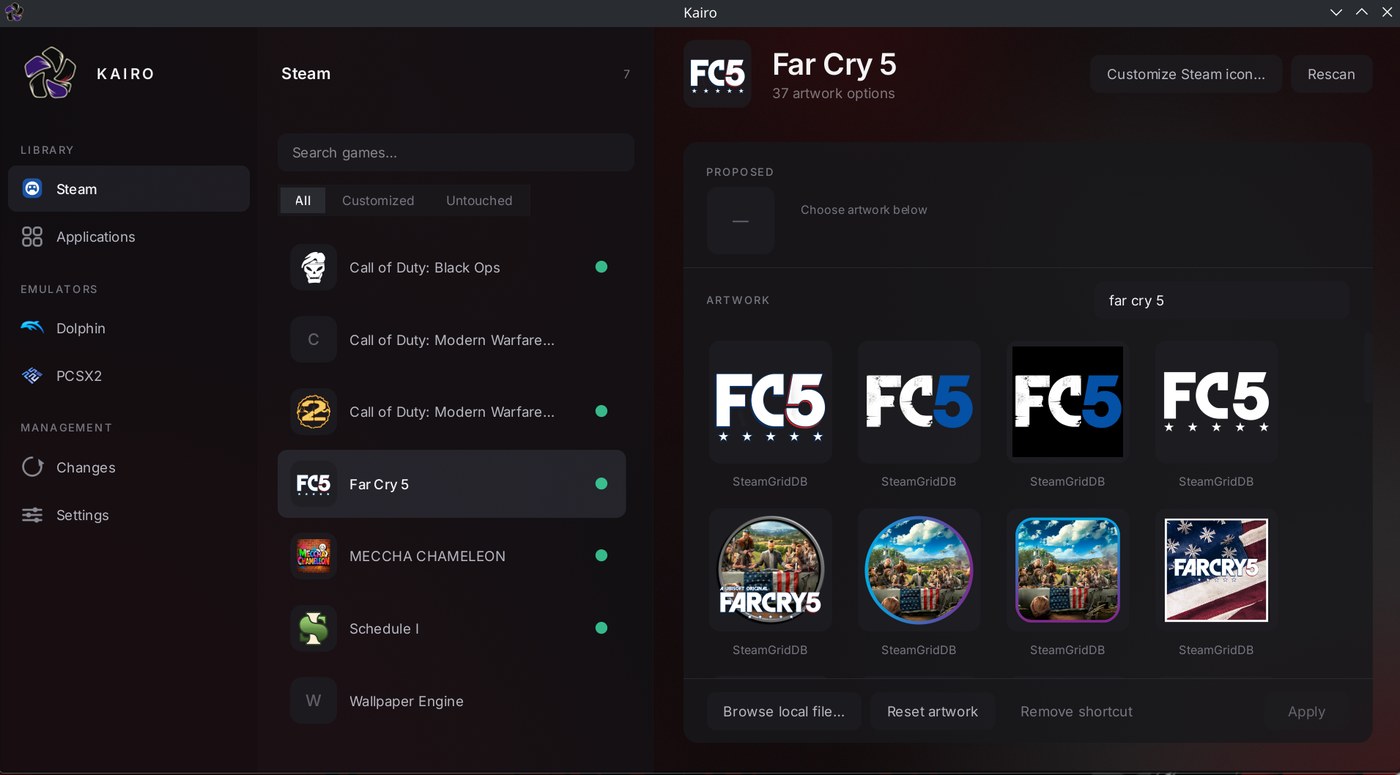
Entries carry a dot when Kairo has customised them, and the list filters to Customized or Untouched so it stays useful once a library is largely done. Per-entry actions are deliberately plain: browse for a local file, reset the artwork, remove the shortcut, apply.
07 From Shortcut Forge to Kairo
The project shipped as Steam Shortcut Forge while Steam was the only thing it understood. Once it could see applications and emulator libraries too, the name described a subset of the product and implied a permanent tie to one storefront it no longer had. Kairo is the same project renamed, not a restart — Steam remains the most complete source, and none of that work was thrown away.
The migration mattered more than the name. Renaming an application's identity moves its config directory, its data directory, and the marker written into every launcher entry it has ever created — and a careless rename would have silently orphaned every shortcut an existing user had, leaving Kairo unable to recognise or restore its own past work. So the marker Kairo writes today is the new one, but it still reads the old key permanently, and the old directories are migrated and then left on disk rather than removed, with their location shown in Settings so the user can delete them when they're satisfied nothing was lost.
08 Status & license
Kairo runs from source today — clone the repository and launch the Qt frontend. Distribution packaging is written but not yet verified end to end, and there's no tagged release, so the honest install story for now is a git clone rather than a package manager. Auto Match is present in the interface but disabled until its confidence scoring is trustworthy enough to apply artwork in bulk unattended.
Built for my own desktop first, MIT-licensed, and public for anyone who wants to use it or read the source.